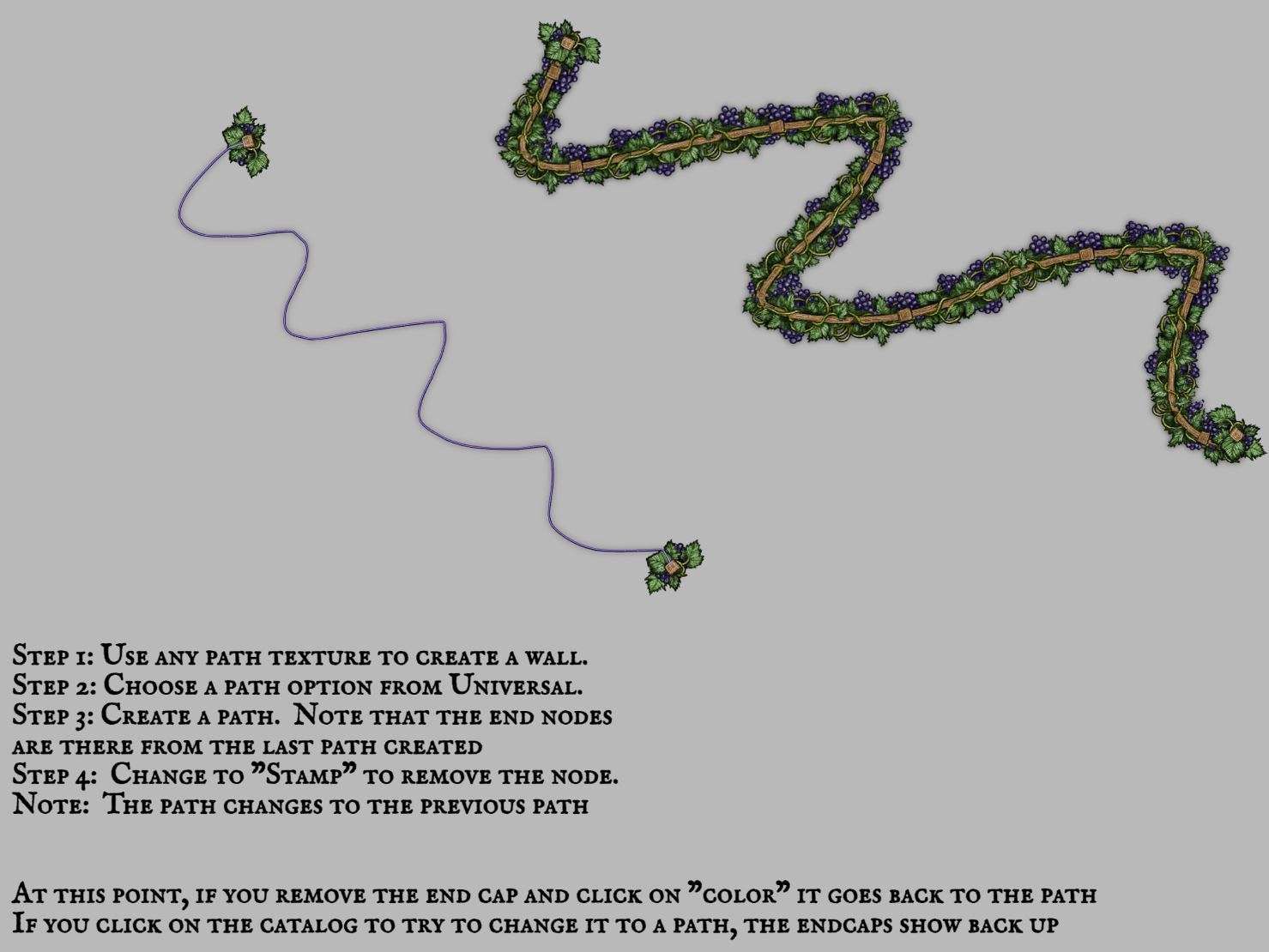
Caps are displayed (and cannot be removed) in color path
Currently, when placing a path from the ones listed under "Universal," they are laid down with end notes from the previously laid path. When clicking on "stamp" to remove the end node, the whole path changes to the previously used path. After removing endcaps, when trying to change it back to a universal path using the catalong it reverts back to a path with end caps. If using "color" to change back to the path, the endcaps do not re-appear.
Universal Paths should be placed without endcaps. See EA feedback for a video. https://discord.com/channels/476072495129296905/642456099366109217/1091023167386042459
Log in to comment and vote
Comments5
Apr 20, 2023
Mar 30, 2023
oh wow, totally missed that one. We get this fixed.
Bearworks
Mar 30, 2023
Philipp: not sure if this is the same thing but when switching between the stroke being a stamp verses a color the stamp caps persist
Bearworks
Mar 30, 2023
if not i can put in a new ticket
Philipp Brockerhoff
Mar 30, 2023
Bearworks: no need, I'll add a ticket.