New Features & Beta Expansion
We’re thrilled to announce another expansion of our Inkarnate 2.0 Beta, now opening up to a total of 75,000 users—including our valued contributors whose maps have been featured on the Explore page.
As we progress towards the eagerly anticipated Inkarnate 2.0 release, we’re also excited to unveil some new big features that are now available to all our users, Beta Access or not.
These features include:
⭐ 9 Point Snap to Grid for objects
⭐ VTT Export - Precise Pixels Per Grid Export for Seamless VTT Integration
⭐ Group Improvements - Drag & Drop, Improved Selection, Move Between Groups
Snap to Grid
Unlock the full potential of precise map-making with our new Snap to Grid feature, enhanced with a 9-point precision system! ✨
Easily activate this feature by selecting the Snap to Grid checkbox located on the bottom panel.
This enables you to:
⚪ Preview the placement of a new object with snap precision before setting it down.
⚪ Effortlessly move already-placed objects with snap accuracy.
This functionality extends beyond stamps, encompassing all object types, including groups.
Please note, the Snap to Grid functionality is currently exclusive to the classic square grid type.
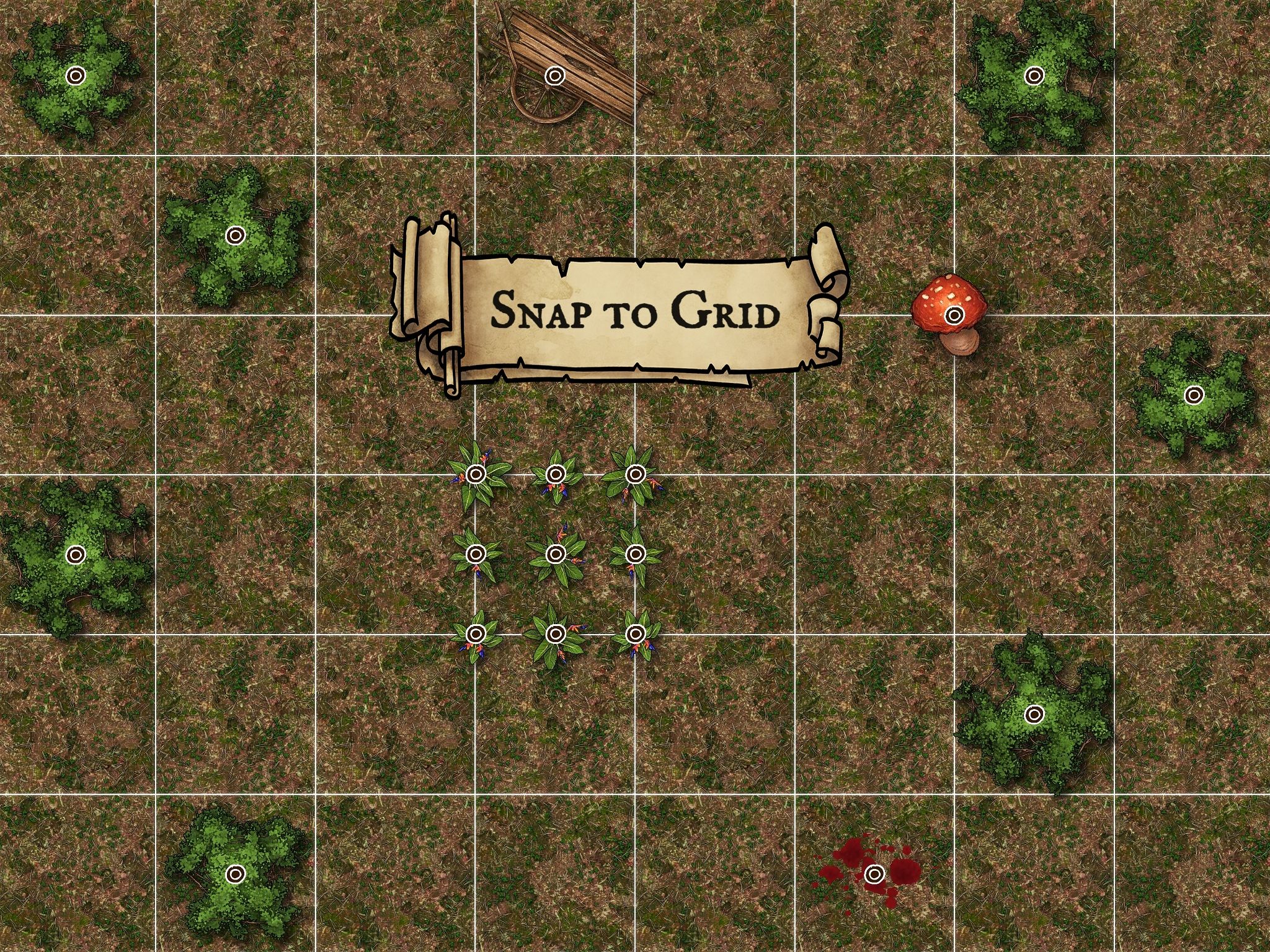
The Snap to Grid option is conveniently situated on the bottom panel, adjacent to the Show Grid option.

VTT (Grid) Export
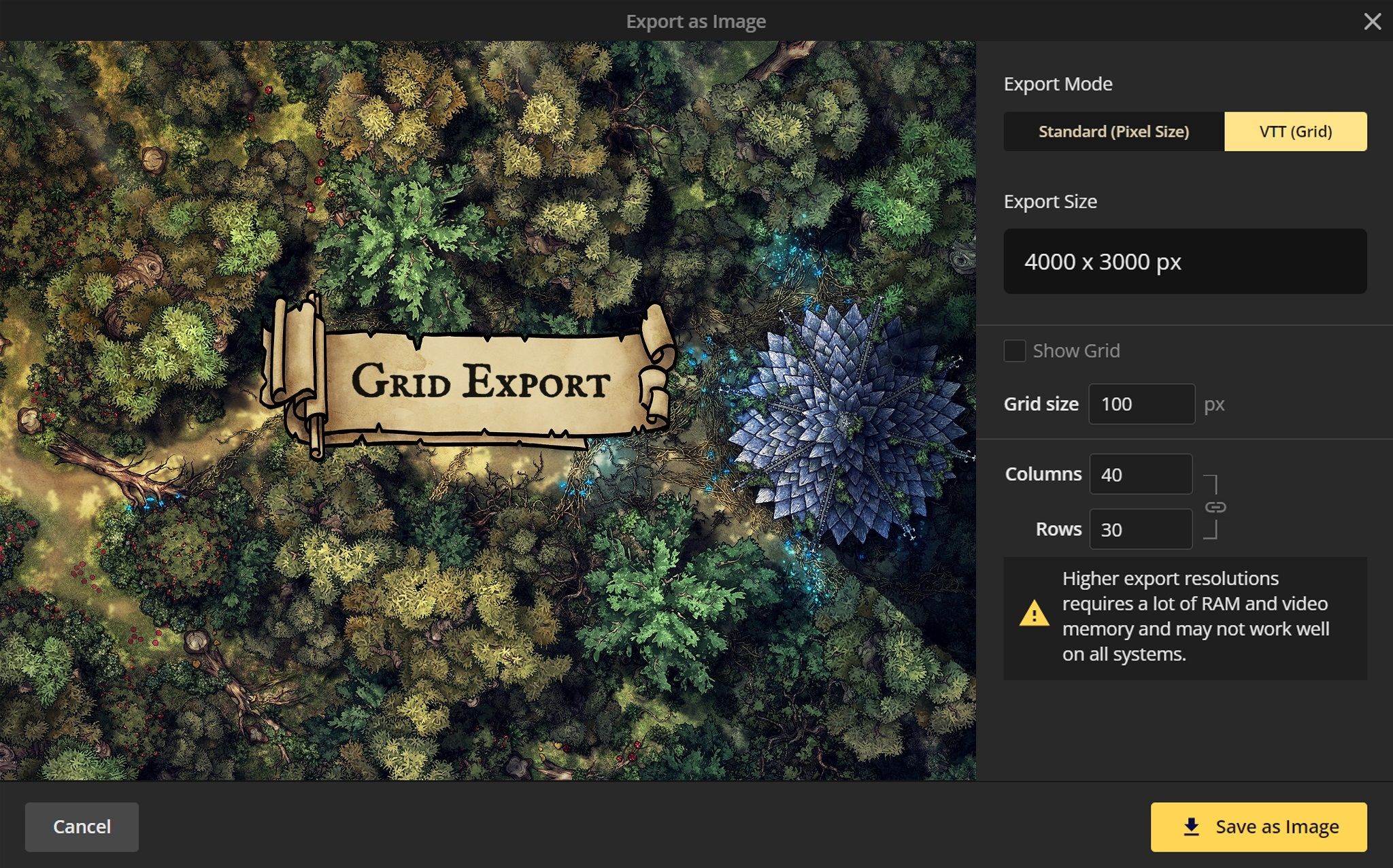
Elevate your Virtual Tabletop (VTT) sessions with our newly introduced VTT (Grid) Export option. This feature is a game-changer for map creators who bring their adventures to life on VTT platforms.
Now, you can precisely adjust the Grid size in pixels and tailor the grid Columns and Rows right at the export stage. This customization ensures that your maps seamlessly fit into any VTT platform you prefer, making the import process smoother than ever.
Group Improvements
- Selection of groups initiated only upon hovering/clicking an internal object instead of the entire bounding box
- Hierarchical object list for nested groups
- Drag & drop objects between groups in the object list
- Activation of groups via double-clicking in the object list
- Added object context menu options:
- Add to Group
- Move to Parent
- Right-clicking the object list opens object context menu
Other Improvements and Bug Fixes
- Enhanced export process with quick-select 1K, 2K, 4K, 6K, 8K, Custom options
- Improved Object List selection styling to more easily see selected objects
- The Snap to Grid option for Mask and Brush Tools is relocated to the bottom panel
- Mask Tool Add / Subtract toggle by pressing 'X'
- Subscription duration and start date listed in Account Billing
- Fixed: Older offline backups didn't load notes
- Fixed: Selecting objects in the object list scrolls to top
Inkarnate 2.0 Beta Updates
We've now expanded the Inkarnate 2.0 beta to 75K of our longest subscribed Pro users (subscribed since Nov 1, 2021), and all featured users.
- Added object context menu options for lines/shapes:
- Select All Lines/Shapes
- Select All Lines/Shapes of This Style
- Line / Shape Tools Adjust Opacity shortcuts (A, D)
- Fixed: Cut path not performing cut operation
- Stroke Asset guide accessible in Art Manager -> Create Stroke Asset -> Stroke Stamp Options
v1.27.0