New Features: Mask Tool Rework, Move Mask & More
v1.37.0
We've released some major new features, and quality-of-life improvements!
New Features
Mask Tool Rework
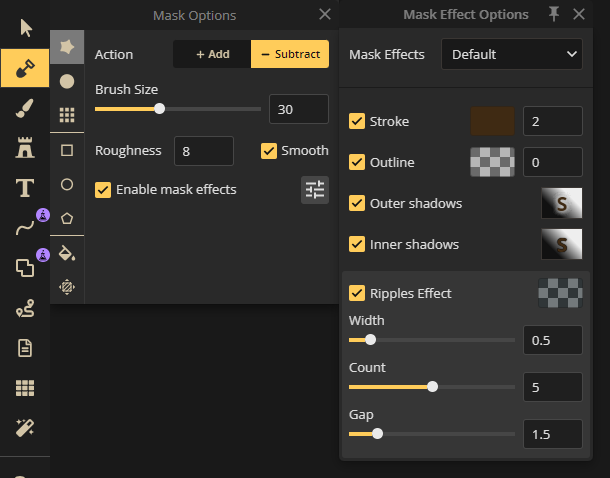
The mask tool has been revamped for better usability. Different modes are now organized into subtools, and mask effects can be accessed via a convenient popup.
Move Mask Feature
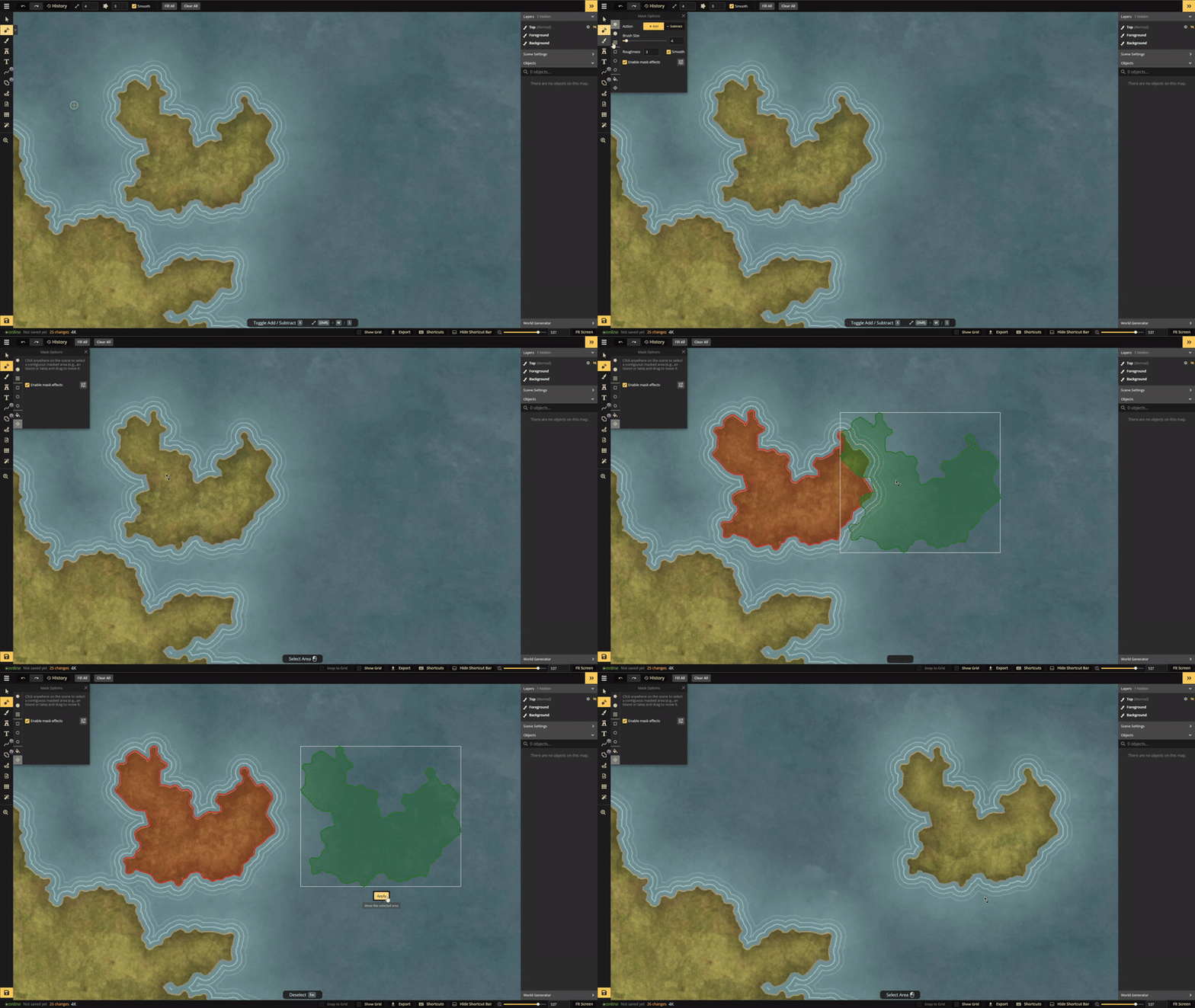
You can now easily select and move masked areas (like an island) or holes in the mask (such as a lake) to different locations.
Alignment & Distribution
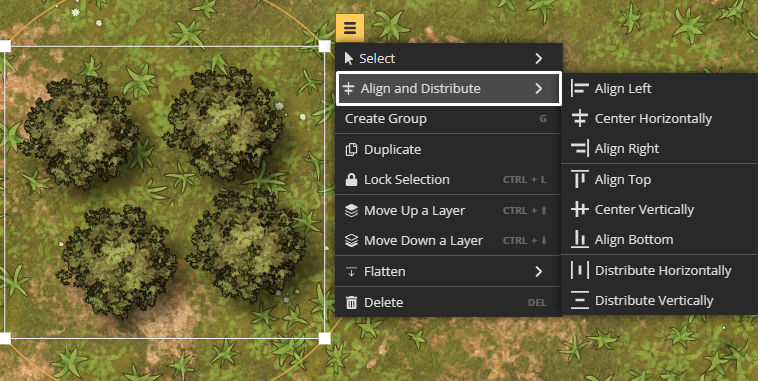
Align and distribute a selection of stamps relative to each other with ease. You need to select multiple objects to see this option in the context menu.
Group Performance Improvements
Experience significantly better performance when working within groups.
New Clip Mask Mode
The Line and Shape tools now include a Clip Mask Mode, allowing the line or shape fill to be rendered as a clipping mask.
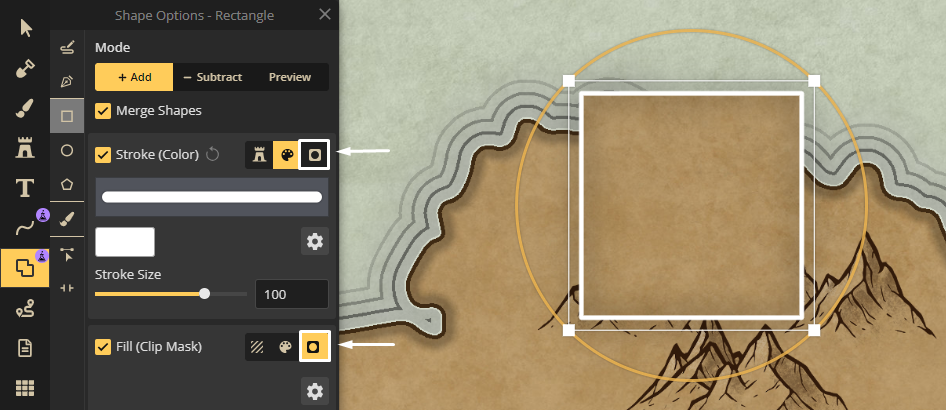
Clip Mask: A clipping mask applied to stamps ensures that only parts of the foreground layer behind the stamp are visible, useful in designs like the parchment world style to maintain consistent coloring.