New Features & Bug Fixes: Mask Bucket Fill, 🆕 Icon
v1.16.34
We're excited to announce:
⭐ A new Mask Bucket Fill option
⭐ A [NEW] icon for marking the latest catalog additions
⭐ More fixes and improvements
Mask Bucket Fill
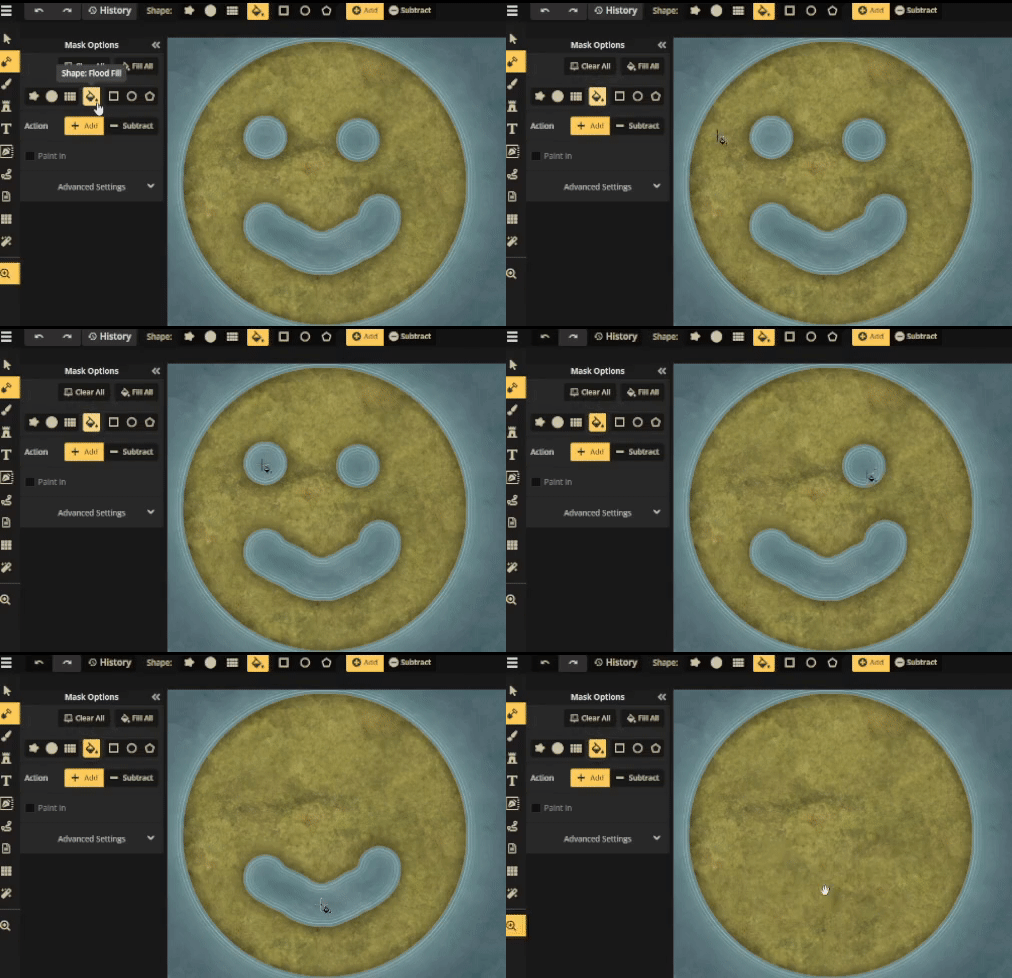
You can now easily fill a closed outline of a shape created with the Mask Tool by adding or removing mask.
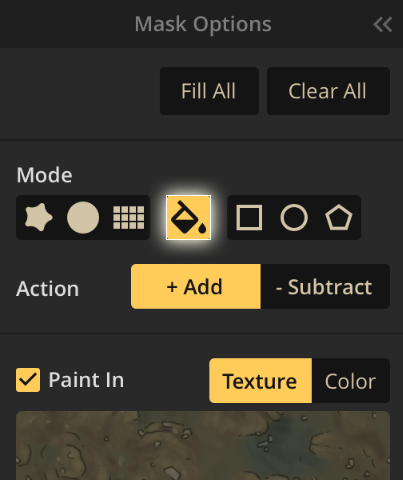
On the Mask Tool:
- When the Add action is active, and you click on the scene, the mask layer will be filled at that pixel and all contiguous unfilled pixels.
- When the Subtract action is active, and you click on the scene, the mask layer will be emptied at that pixel and all contiguous filled pixels.
🆕 Icon
We understand that it can be difficult to keep track of all the new assets that we release regularly.
Sometimes, we release brand-new asset packs, while at other times, we expand upon existing ones with new ideas from the community.
To help you out, we have added a new 🆕 icon to new packs and assets that have been released in the past 30 days.
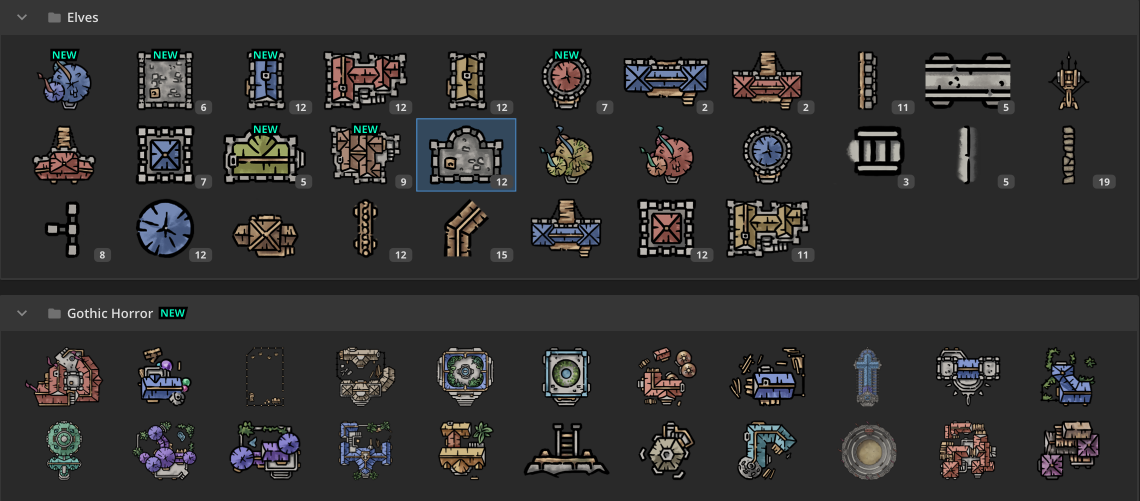
Tapping on the icon or selecting the new assets will hide the icon.
When the [Mark all new as seen] option in the hamburger menu (top right corner in the catalog) is clicked, all icons shall be removed.
We hope this feature helps you stay up-to-date with all the new content we release.
Other Improvements & Bug Fixes
Finally, with the community's help, we've pushed a bunch of fixes that resolve little bugs.
Bug Fixes:
- Resolved the flickering issue when searching for maps in the My Maps section, when there are many liked maps in the account.
- Fixed the like button's lack of visual feedback upon clicking.
- Fixed the opacity problem with stamps using the color dodge blend mode.
- Corrected the brush behavior when using the "paint in" feature of the mask tool, which sometimes added a brush while subtracting.
- Fixed an error with the Shape tools of the Mask Tool and Brush Tool when working in Firefox.
